


AWS Sysops Associate Certification Training –
Receive hands-on direct exposure to the highly scalable Amazon Web Companies (AWS) cloud system along with the AWS SysOps Colleague license instruction plan. This training course will assist you achieve useful technical expertise in releasing, handling, and also working fault-tolerant units on AWS.
Eligibility & Pre-requisites
Eligibility
Solution administrators with at the very least one year of knowledge regulating or even structure apps in the cloud are actually best candidates for the AWS SysOps Certification Program.Pre-requisites
To make an application for the AWS SysOps Colleague License, you have to complete the AWS Technical Fundamentals course OR have notable hands-on specialist expertise in running AWS located applications. You need to also have the potential to describe a remedy to become created as well as operated AWS, and also expertise provisioning, running as well as keeping units operating on AWS. You must likewise be qualified of giving AWS procedures and release direction and greatest practices throughout the lifecycle of a project.
AWS SysOps Courses Overview
This AWS SysOps training is actually a prerequisite to the DevOps Developer Accreditation. You are going to discover how to migrate on-premise functions to AWS, regulate the circulation of records to as well as from AWS, professional the AWS administration console, apply working expense managements, and also enrich your capacity to make use of AWS sources and also services properly.
Benefits
AWS has actually been actually dominating the general cloud framework market for several years today, with much more than 30 percent share. The talent crisis in cloud computing area is actually getting as well as developing certified in AWS will show your skills and also boost your cloud computing job.
CA: 1-416-569-4606
WhatsApp – 1-416-569-4606
Email – contact@voisap.com
Request more information
Like the curriculum? Enroll Now
Structure your learning and get a certificate to prove it.
Skills Covered
Training Options
Batches
- Lifetime access to high-quality eLearning
- 2000 Step-by-Step Screenshots, SAP Books
- Lifetime System Access
- Free Accounts and Excel Sessions
- 24x7 learner Whatsapp assistance and support
- Professional Resume
- Intense Interview Preparation
- Linkedin Preparation
- Free 6 Months On-the-Job Support
One-on-One (Recommended)
- EVERYTHING OF BATCHES PLUS...
- Lifetime System Access
- Schedule Sessions at your convenience, ANYDAY, ANYTIME
- Ability to cancel, postpone, reschedule sessions (No anxiety of missing sessions)
- Missed sessions? No Problem, Join Full Training as many times
- Access to Realtime Project Documents as Samples
- Access to Exclusive VoiSAP Practice Guides
CORPORATE TRAINING
(Online, Client sight)
Customized to your team's needs
- EVERYTHING OF BATCHES PLUS...
- Customized Training for your Business Processes
- Customized Training Manuals, Documents
- Well Experienced Corporate Trainers
- Simulation test papers for self-assessment
- Simulation test papers for self-assessment
- 24x7 learner assistance and support
Course Currilcum
1.01 The Course Overview
06:001.02 Introduction
06:091.03 Set Up A Free AWS Tier Account
04:441.04 Set Up Your Environment
08:251.05 Amazon CLI Tools for PowerShell and SDKs
14:361.06 The AWS Global Infrastructure
05:321.07 Create a Billing Alarm
02:16
2.01 Introduction to CloudWatch: Part One
10:382.02 Introduction to Cloud Watch: Part Two
06:332.03 Monitoring EC2
07:372.04 Monitoring EBS
09:492.05 Monitoring ElastiCache
05:092.06 Monitoring ELB
03:052.07 Monitoring RDS
02:592.08 AWS Trusted Advisor
02:432.09 AWS CloudTrail: Part One
08:402.10 AWS CloudTrail: Part Two
09:592.11 AWS Config
07:142.12 AWS Organization and Consolidated Billing
06:112.13 Monitoring AWS Charges
05:33
3.01 Amazon SQS -Building Decoupled Architecture
14:133.02 Amazon Simple Notification Service
04:363.03 Regional Specific High Availability
17:323.04 Bastion Hosts and High Availability
03:163.05 Multi-Region High Availability
08:433.06 Connectivity Options for High Availability
05:09
4.01 Amazon Elastic Compute Cloud EC2
09:474.02 Launching an EC2 Instance
18:104.03 Storage for EC2
05:534.04 Expand an EBS Volume
08:304.05 Creating an AMI
10:484.06 Additional EC2 Concepts
05:514.07 Amazon EC2 Container Service
05:214.08 Amazon Elastic Beanstalk
12:324.09 Amazon Lambda
13:024.10 Amazon Lightsail
11:56
5.01 Introduction to Databases on AWS
08:445.02 Amazon RDS: Part One
10:175.03 Amazon RDS: Part Two
12:545.04 Amazon RDS: Part Three
19:325.05 Amazon RDS: Part Four
08:445.06 Amazon Aurora
06:195.07 Amazon DynamoDB: Part One
04:405.08 Amazon DynamoDB: Part Two
07:365.09 Amazon Redshift
04:175.10 Amazon ElastiCache
02:51
6.01 Introduction to Deployment Strategies
11:576.02 Amazon Elastic Load Balancers
13:186.03 Configure an Elastic Load Balancer
13:186.04 Amazon Auto Scaling: Part One
07:506.05 Amazon Auto Scaling: Part Two
13:37
7.01 AWS CloudFormation
13:267.02 Configure CloudFormation Stack
13:147.03 AWS Elastic Beanstalk
09:557.04 Deploy Application Using Elastic Beanstalk
08:097.05 Amazon OpsWorks
06:09
8.01 Amazon S3 Introduction
14:478.02 Create an S3 Bucket
09:188.03 Access Policies
04:488.04 Versioning
02:368.05 Lifecycle Policies
06:188.06 Cross Region Replication
06:398.07 MFA Delete and Advanced Protection Strategies
05:248.08 Cross Origin Resource Sharing
01:298.09 Encryption
06:038.10 Amazon Storage Gateway
05:558.11 Amazon Snowball
03:40
9.01 AWS Shared Security Model
06:419.02 AWS Compliance Program
07:159.03 AWS Identity and Access Management
16:129.04 AWS CloudTrail for Security
01:479.05 AWS WAF Inspector and Trusted Advisor
08:499.06 AWS EC2 Security
04:039.07 AWS KMS and CloudHSM
07:10
10.01 Amazon VPC: Part One
16:2710.02 Amazon VPC: Part Two
14:2410.03 Launch an Amazon VPC
19:2510.04 Amazon VPC Peering
03:1710.05 Amazon VPC Endpoints
01:4910.06 Amazon VPC Flow Logs
01:2710.07 Amazon VPC Direct Connect
03:3410.08 Amazon CloudFront
09:5510.09 Amazon Route Fifty Three
09:58
Course Introduction
Cloudwatch Introduction
Assisted Practice: Create an Alarm using CloudWatch
Monitoring EC2
Assisted Practice: Monitoring EC2
Monitoring EBS
Assisted Practice: Monitoring EBS
Monitoring ELB
Assisted Practice: Monitoring ELB
Monitoring Elasticache
Assisted Practice: Managing ElastiCache Amazon SNS Notifications
Assisted Practice: Disabling Amazon SNS Notifications
Assisted Practice: Create A Billing Alarm
Assisted Practice: Create and Configure an AWS Organization
Cost Explorer and Cost Allocation Tags
EC2 Pricing Models
AWS Config101
Assisted Practice: Setting up AWS Config
AWS Config Vs AWS CloudTrail Vs. CloudWatch
Health Dashboards
Create an Application Load Balancer Using EC2
Assisted Practice: EC2 instance lab
EC2, EBS and IOPS
Assisted Practice: Deploy an Application Load Balancer
System Manager
Applying a Load Balancer
Elasticity and Scalability
RDS and Multi-AZ failovers
RDS and Read Replicas
Assisted Practice: Create a Read Replica
Assisted Practice: Create a Read Replica in multiple regions
Amazon RDS and Cross-Region Replication
Assisted Practice: Share an Encrypted Amazon RDS snapshot
AWS Aurora
Assisted Practice: Create an Aurora MySQL Database Cluster
Assisted Practice: Connect to an Instance in a Database Cluster
Aurora Database Clusters
Aurora Replicas
Assisted Practice: Adding Aurora Replicas to a Database Cluster
Aurora Serverless
Troubleshooting Autoscaling Issues
Content Delivery Network
Launch an RDS Instance with Multi-AZ
Introduction to S3
S3 Lifecycle Policies
Assisted Practice: Enable S3 Encryption
S3 Versioning
Assisted Practice: Check S3 Versioning
MFA Delete
S3 Encryption
EC2 Volume Types
Assisted Practice: Upgrade EC2 Volume and Attach Volume Types
KMS and CloudHSM
Amazon Machine Image
Snowball
Storage Gateaway
Athena
Assisted Practice: Athena Query
Elastic File System
Assisted Practice: Working with EFS
Run Batch Operations to Encrypt Data in an S3 Bucket
Security on AWS
DDOS
Assisted Practice: Custom IAM Policy
Assisted Practice: Roles and Policies
Security Token Service
Logging
WAF and Hypervisors
Instances and Hosts
Assisted Practice MFA with AWS
Assisted Practices: SSM and Run Command
Assisted Practices: AWS Config with S3
Shared Responsibility Model
Security Groups
Assisted Practice: AWS CloudTrail
Implement CloudTrail Using AWS IAM
DNS
Assisted Practice: Register a Domain Name
Routing Traffic to Web Applications
Assisted Practice: Create a S3 bucket and configure it to host a website
Assisted Practice: Create a website and upload it to the S3 bucket
Assisted Practice: Routing DNS traffic for your domain
Amazon Route 53
Top-Level Domains
NS and SOA Records
A and Alias Records
DNS Routing
Assisted Practice: Simple Routing Policy
Assisted Practice: Latency Routing Policy
Create a Custom VPC
VPC Overview
VPC Peering
Assisted Practice: Create a Custom VPC
Network Address Translation (NAT)
Assisted Practice: Configure and Launch a NAT Instance
Assisted Practice: NACL Creation
VPC Flow Logs
Assisted Practice: Create a VPC Endpoint
Assisted Practice: Create a VPC Flow Log
Assisted Practice: Clean a VPC
Create VPC and NAT to Perform Bidirectional Monitoring
CloudFormation
Assisted Practice: CloudFormation
Elastic Beanstalk
Assisted Practice: Elastic Beanstalk
AWS OpsWorks
Deploy an Elastic Beanstalk Using CLI
AWS Service Catalog
Assisted Practice: AWS Service Catalog Portfolio
Case studies
Assisted Practice: Bucket Policy with Wildcards
Setting up a Website on Cloud
Confused about your Career? Take Free Career counselling
What our eLearners say about us
Excellence speaks for itself. Experience us through Authentic Google Reviews and Videos.
Google Reviews

Video Reviews
Like the curriculum? Enroll Now
Structure your learning and get a certificate to prove it.
Certification
As part of our eLearning program, you will be practically involved in various projects and assignments, which include Realtime Project Scenarios as well. This gives you realtime practical industry exposure.
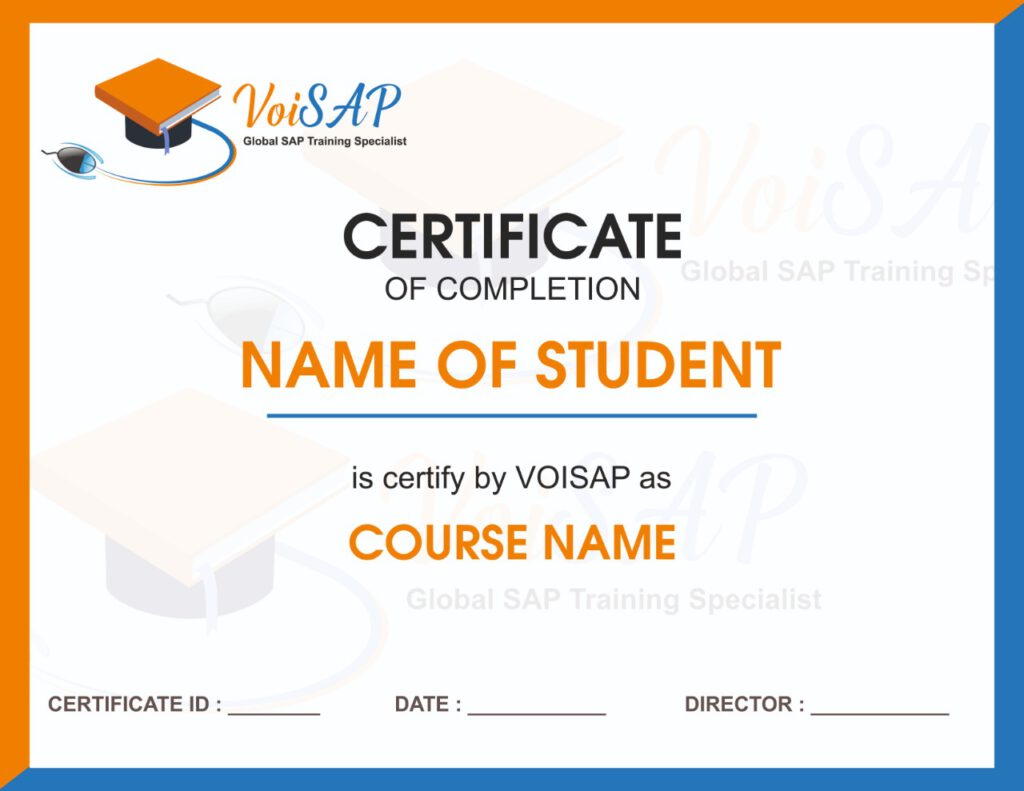
VoiSAP’s certificate will be issued once you successfully complete the training which includes practicals, assignments and quiz.
VoiSAP’s certification training is recognized by more than 500 top MNCs, including CGI, Accenture, Walmart, Amazon, IMAX, Sony, RBC, HSBC, Standard Chartered Bank, IBM, Infosys, Lafarge, TCS, and many more.
SAP FICO Training FAQs
- Windows: Windows XP SP3 or higher
- Mac: OSX 10.6 or higher
- Internet speed: Preferably 512 Kbps or higher
- Headset, speakers and microphone: You’ll need headphones or speakers to hear instruction clearly, as well as a microphone to talk to others. You can use a headset with a built-in microphone, or separate speakers and microphone.